
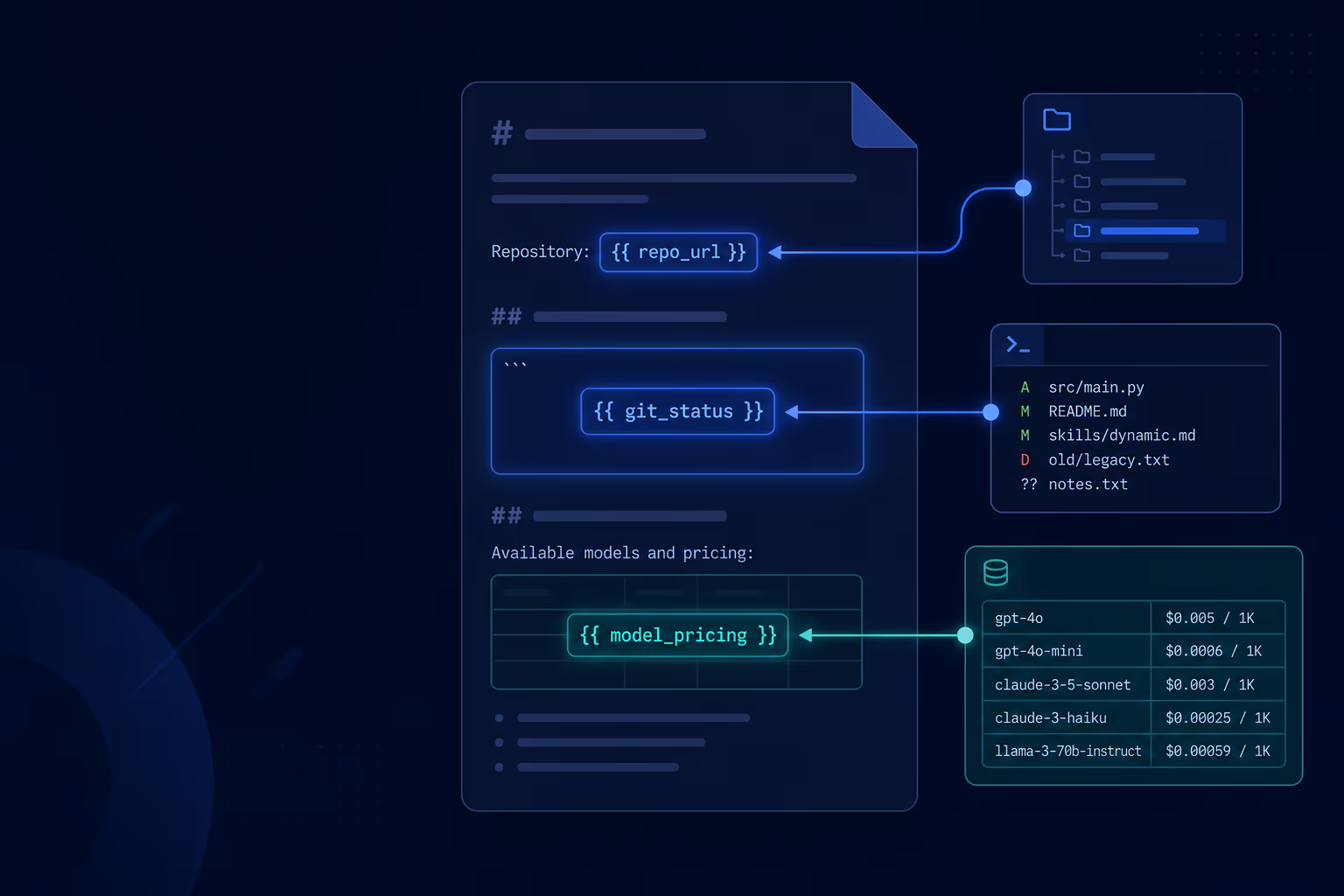
Static skill instructions work until the task needs live data. You want the agent to see the current diff, the models you have enabled, or the arguments you passed when you invoked the skill. Skill interpolation fills those placeholders when Tarsk activates the skill, before the instructions reach the agent.
This guide explains what interpolation does, how to write it safely, and three patterns you can copy into your own SKILL.md files.
What problem this solves
A skill tells the agent how to behave. Most of the time that text can stay fixed. Sometimes the right next step depends on what changed in the repo, which models cost the least today, or what the user typed after /my-skill.
Without interpolation you repeat context in chat or hope the agent runs the right command on its own. With interpolation the skill arrives pre-loaded: git output already inline, model list already sorted, arguments already swapped in.
What you need
- A project with at least one skill under
.agents/skills/<skill-name>/SKILL.md - For shell placeholders:
allowed-toolsin frontmatter that authorizes the command (see security below) - For model listing: at least one enabled model in Settings
- To invoke a skill with arguments:
/skill-name your args hereor enable the skill for the thread
How activation uses interpolation
When a skill matches your message (or you invoke it explicitly), Tarsk preprocesses the markdown body. Placeholders expand once. The agent receives the finished text in the Available Skills section of its context.
Interpolation runs at activation time, not on every agent turn. If the repo changes mid-conversation, start a new message or re-invoke the skill to refresh embedded output.
Syntax reference
| Placeholder | What it does |
|---|---|
!`command` |
Runs a shell command and inserts stdout/stderr inline |
```! ... ``` |
Same as above for multi-line commands |
!`tarsk:models` |
Inserts your enabled models with prices and coding scores |
$ARGUMENTS |
Full argument string from /skill-name ... |
$0, $1, … |
Positional argument tokens |
$name |
Named argument from frontmatter arguments: list |
${TARSK_SKILL_DIR} |
Absolute path to the skill folder |
Shell interpolation and security
Shell placeholders are powerful. Tarsk only runs them when that skill’s allowed-tools frontmatter says they may run.
Three rules apply:
Bash(pattern)— only commands matching the pattern execute. Use a space before the wildcard:Bash(git *)allowsgit diff HEAD.Bash(npm run test *)allowsnpm run test unit.- Bare
Bash— any shell command in that skill may run. Use this when the skill owns a broad workflow and you trust the instructions. - No Bash entry — shell placeholders are blocked. The agent still sees a short error string where the command would have been, so you know authorization failed.
This gate is separate from project shell permissions for the agent’s bash tool. Even if the project allows wide command access, a skill without Bash in allowed-tools cannot run !`...` blocks.
Example: embed the current diff
---
name: review-changes
description: Review uncommitted code changes in the current project
allowed-tools: Bash(git *) Read agent
---

## Current diff

!`git diff HEAD`

Review the diff above. Call out bugs, missing tests, and style issues.
When the skill activates, Tarsk runs git diff HEAD (authorized by Bash(git *)) and replaces the placeholder with the output. The agent reads the diff inside the skill instructions.
Example: multi-line command block
For several commands in one substitution, wrap them in a fenced block that starts with ```!:
---
name: branch-status
description: Summarize git branch and recent commits
allowed-tools: Bash(git *)
---

## Repository snapshot

```!
git branch --show-current
git log -5 --oneline
```
The opening fence uses an exclamation mark immediately after the backticks.
List enabled models with tarsk:models
!`tarsk:models` is a built-in placeholder. It does not run shell code. Tarsk expands it to a bullet list of models you have enabled, sorted cheapest first:
- google/gemini-2.0-flash at $0.10 in, $0.40 out, intelligence at 28
- anthropic/claude-haiku-4.5 at $0.80 in, $4.00 out, intelligence at 35
Each line uses the provider/model-id form so you can copy it into subagent calls. Prices are USD per million tokens, rounded to cents. Intelligence is the model’s coding index from the catalog.
You do not need Bash in allowed-tools for this placeholder.
Example: delegate to the cheapest model
---
name: cheap-summarizer
description: Summarize long text with a low-cost subagent
allowed-tools: agent
---

## Enabled models (cheapest first)

!`tarsk:models`

When the user asks for a short summary of attached content, spawn a subagent
using the **first model in the list above**. Pass `model` and `provider`
from that line (the part before " at").

Keep the main thread on the current model for complex work; use the subagent
only for the summary.
After activation the agent sees real prices for your setup and can pick the top line without guessing.
Argument substitution
Invoke a skill with extra text:
/my-skill quarterly reportInside SKILL.md:
---
name: my-skill
description: Generate reports from user-supplied topics
arguments:
  - topic
---

Write a report about $topic.
Use $ARGUMENTS if the user passed multiple words.
$topic becomes quarterly. $ARGUMENTS becomes the full string quarterly report.
Pair arguments with ${TARSK_SKILL_DIR} when the skill references local templates:
Load the template at ${TARSK_SKILL_DIR}/assets/template.md and fill it for $topic.Common pitfalls
Pattern does not match the command. Bash(git:*) does not authorize git diff HEAD in Tarsk. Use Bash(git *) with a space before the asterisk.
Expecting fresh output without re-activating. Interpolation runs when the skill loads. Send a new message or invoke the skill again after large repo changes.
Shell placeholder without allowed-tools. The placeholder is replaced with a not-allowed message. Add the right Bash(...) entry.
Model list empty. Enable models under Settings → Providers. An empty account shows (no enabled models).
Subagent model rejected. The agent tool only accepts models you have enabled. Pick a line from the injected list, not a model from the full catalog.
Putting it together
A review skill can combine diff output, model prices, and subagent delegation:
---
name: smart-review
description: Review code changes and optionally summarize with a cheap model
allowed-tools: Bash(git *) agent Read
---

## Diff

!`git diff HEAD`

## Models

!`tarsk:models`

If the diff is longer than 200 lines, spawn a subagent with the cheapest
enabled model to produce a 5-bullet summary, then continue the full review
in this thread.
One activation gives the agent the diff, your current pricing picture, and clear instructions for when to offload work.
Summary
Skill interpolation turns SKILL.md from static prose into a live brief. Shell placeholders pull repo or tool output when you authorize them in allowed-tools. !`tarsk:models` lists enabled models so agents can choose cost-aware subagents. Argument and directory placeholders wire user input and local files into the same flow.
Open an existing skill in .agents/skills, add one placeholder, set allowed-tools if you use shell syntax, and send a message that activates the skill. Check the agent context or behavior to confirm the expanded text arrived as you expected.